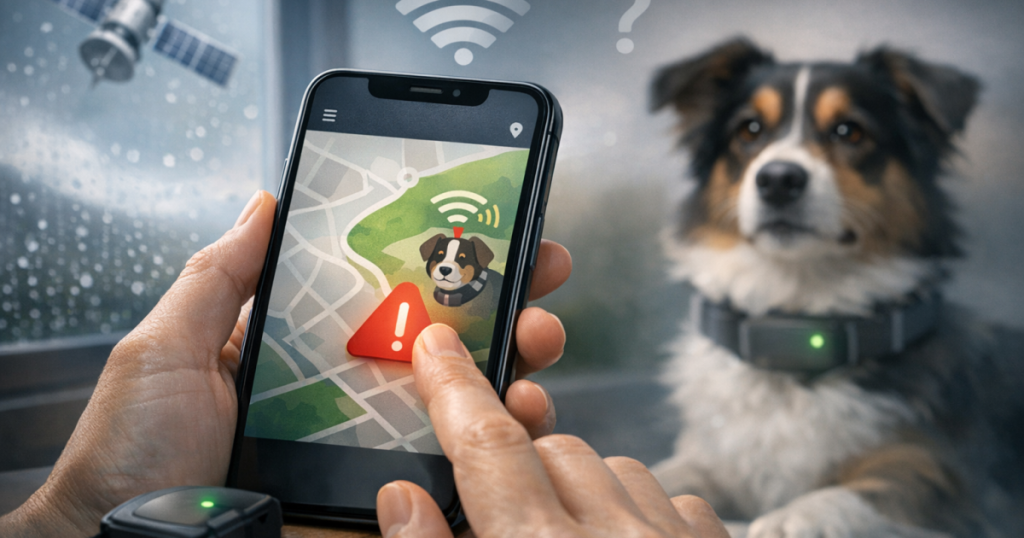
Many pet owners turn to GPS trackers for that extra bit of reassurance when it comes to their beloved pets. However, you might run into some GPS tracker connection issues with the accompanying mobile apps. Whether it’s problems with syncing, weak signals, or the app crashing, tackling these issues is vital to ensuring your pet’s safety is always a priority. Here’s a handy guide to help you troubleshoot these common connection hiccups.
At a glance
- Check your smartphone’s Bluetooth and location settings.
- Make sure the GPS tracker’s battery is charged.
- Update the app to the latest version.
- Get closer to your dog’s GPS tracker for a better signal.
- Reset the GPS tracker if it seems unresponsive.
- Look for any outages from your GPS service provider.
Step-by-step troubleshooting
Follow these steps to tackle those pesky connection problems you might experience with your GPS tracker:
1. Verify Bluetooth and Location Settings
Your GPS tracker usually connects to your smartphone via Bluetooth, so check that Bluetooth is on and that the app has permission to use location services. Make sure the app prompts you for these settings, if needed.
2. Check Battery Levels
If your tracker isn’t responding, it could be low on battery. Ensure it’s adequately charged; you can refer to the user manual for battery status indicators. If needed, replace or recharge the battery, then try reconnecting.
3. App Updates
Keeping your app updated is important for fixing bugs and improving performance. Head to your smartphone’s app store (either Google Play or Apple App Store) and check for any updates for your GPS tracker app. Download and install them as this often helps resolve connectivity woes.
4. Proximity Matters
GPS devices work best within a certain range. If you’re having trouble connecting, try moving closer to the tracker. Thick walls or interference from other electronic devices might be causing issues, so keep that in mind.
5. Restart or Reset the Device
If all else fails, it might be worth restarting your GPS tracker. Look for a power button or reset option in the manual. Sometimes, a hard reset can clear up persistent connectivity issues.
6. Network and Service Provider Issues
Occasionally, the problem might lie with the GPS service provider. Check the manufacturer’s website or reach out to customer support to see if there are any known outages in your area.
Another helpful hint when troubleshooting is to be on the lookout for any software conflicts. Sometimes, other apps running on your phone can interfere with your GPS tracker app. Closing these background applications can free up resources and improve overall performance. If you’ve installed any new apps recently, consider uninstalling them temporarily to see if that helps.
Don’t forget to check the user manual for your specific Product Name (check price on Amazon), as it might include troubleshooting insights that are specific to your device. Each model may have unique features or common issues that could help you resolve connection concerns more effectively. If you can’t find the manual, many manufacturers offer useful troubleshooting sections on their websites or customer support portals.
Lastly, keep an eye on software updates for your smartphone as these can impact how well third-party apps function. Regular system updates help ensure your device runs smoothly, which can enhance connectivity and your overall experience. It’s worth scheduling a regular check to ensure both your smartphone and GPS tracker apps are up to date.
Related reading
- Troubleshooting GPS Dog Tracker Sync Issues with Smartphone Apps
- Troubleshooting GPS Dog Tracker Connectivity Issues
- Steps to Set Up Advanced GPS Tracking for Your Pet
Key takeaways
- Connection issues often arise from Bluetooth and location settings. (especially for GPS tracker connection issues)
- Keep the battery charged to prevent connectivity problems.
- Update your app regularly for smoother performance.
- Check for service outages that might affect your GPS tracker.
FAQ
What can I do if my GPS tracker won’t connect?
Begin by checking your smartphone’s Bluetooth and location settings to make sure they’re all enabled. Also, make sure the GPS tracker is charged.
Why does the app keep crashing?
App crashes often happen when you’re not using the latest version. Make sure to update both the app and your smartphone to the latest firmware to tackle these issues.
How can I improve the GPS signal?
Ensure you’re within the recommended range of the GPS tracker and move away from any potential sources of interference, like thick walls or electronic devices.
What should I do if nothing works?
In that case, consider resetting the device, following the instructions in the user manual, or contacting customer support for help.
How can I maintain my GPS tracker?
Keep your GPS tracker clean and periodically check the battery performance. For additional tips, see our article on maintaining battery performance.