Introduction
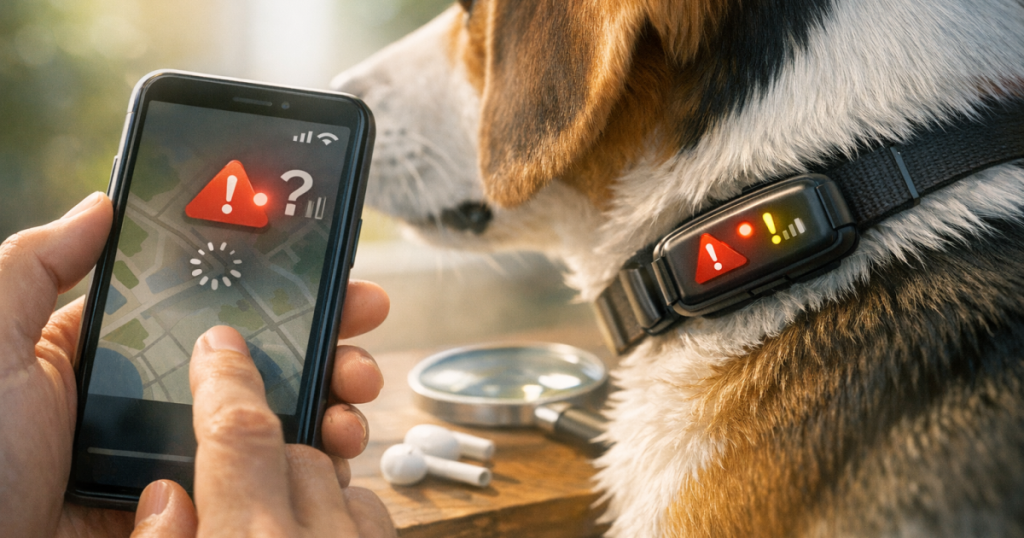
Picture yourself in the park with your dog, only to discover that your GPS dog tracker isn’t syncing with your smartphone app. It’s a bit unsettling, particularly if your dog loves to wander about. Knowing how to troubleshoot GPS dog tracker sync issues with smartphone apps can really help you stay connected and relaxed.
At a glance
- Check your Bluetooth connection for compatibility.
- Ensure your app is up-to-date to avoid bugs.
- Restart both your smartphone and the GPS tracker.
- Make sure the device is charged and working as it should.
- Review the app settings to confirm they’re correct.
- Look for any reported outages from the manufacturer.
Troubleshooting Steps
1. Verify Bluetooth and App Permissions
To start with, check that Bluetooth is activated on your smartphone. Sometimes the app needs specific permissions to access Bluetooth as well, so ensure those are granted. Without these permissions, syncing can fail.
2. Update the Smartphone App
Using outdated apps can lead to various connectivity hiccups. Head over to your device’s app store and see if there are updates available for your GPS dog tracker’s app. An updated app can usually take care of any existing bugs, resulting in a smoother experience.
3. Restart Devices
If you’re unsure, a simple restart can often do the trick. Switch off your smartphone and GPS tracker, then turn them back on to refresh their systems. This might just resolve any lingering sync issues.
4. Charge Your Devices
It’s important to make sure both your smartphone and GPS dog tracker have enough charge. Low battery levels can interfere with their performance, making it challenging for the devices to sync properly.
5. Check App Settings
Take a moment to look through the app settings to ensure your GPS tracker is connected correctly. Make sure tracking is enabled and that all relevant settings, like location services, are set up as they should be.
6. Manufacturer Support
If you’re still having trouble, it might be worth checking the manufacturer’s support page. Occasionally, certain models encounter unique sync issues, and the manufacturer can offer specific advice or updates to help.
Also, keep in mind the range of your Bluetooth connection. If you wander too far from your GPS dog tracker, it could lead to disconnects. Typically, Bluetooth has a range of about 10 metres, but things like walls and trees can interfere with this. When you’re out and about, it’s a good idea to stay within that range or check the connection now and then to ensure everything is still in sync.
Beyond ensuring permissions and connectivity, take a moment to look at the physical condition of your GPS tracker and its attachments. Sometimes, dirt or debris can obstruct the device, leading to syncing problems. Regularly cleaning it, especially around the charging port and any exposed sensors, can keep it functioning well. A soft cloth or gentle brush is perfect for this type of maintenance. If your tracker has a case, remove it to check for any hidden issues as well.
If you frequently run into sync problems, it may be wise to explore alternative tracking options that might provide a more reliable solution. Some GPS trackers, such as the Garmin T5 (check price on Amazon), offer extra features like offline maps or remote tracking, which can be immensely helpful. These features may help you avoid some connectivity headaches, allowing you to keep a closer watch on your furry friend without needing to constantly check your smartphone.
Finally, it’s always good to have a backup plan ready in case your GPS tracker fails to sync when you’re out. Get to know your dog’s behaviour so you can respond quickly if they wander off. Having a whistle or a specific call that they recognise can really help bring them back. Establishing a solid training routine around this can create a sense of safety for both you and your pet, even when technology doesn’t quite go to plan.
Related reading
- Troubleshooting GPS Dog Tracker Connectivity Issues
- Guide to Setting Up GPS Tracking for Your Dog
- Heartwarming Stories: How GPS Dog Trackers Have Saved Lost Pets
Key takeaways
- Keep your app updated for optimal performance. (especially for GPS dog tracker sync issues)
- Restarting devices can often solve temporary issues.
- Ensure that both devices are sufficiently charged.
- Verify that app settings are correctly configured.
- Reach out to the manufacturer for specific troubleshooting advice.
FAQ
What should I do if my GPS tracker is still not syncing?
If you’ve checked everything and the issue persists, it might be a good idea to contact customer support for your GPS tracker’s manufacturer to get more specific help.
How often should I update my GPS tracking app?
It’s best to check for updates at least every few weeks. Many apps release updates that fix bugs and enhance performance.
Can GPS trackers work without an active mobile connection?
Most GPS trackers need a data or Wi-Fi connection to sync effectively with the app. Make sure you check the app’s requirements and your connection status.
Are all GPS dog trackers compatible with smartphone apps?
No, compatibility can vary based on brand and model. Always check product specifications to ensure your GPS tracker works with your smartphone.
How do I maintain my GPS dog tracker for optimal performance?
Regularly check battery levels, keep the software updated, and follow a good charging routine to ensure longevity and reliability.